Year-End Camera Cleaning and Maintenance
How to clean your camera sensor and do full maintenance on your photo gear before the year ends, step by step and without risking anything.
After a year of shoots, trips and night outings, your gear accumulates dust, fingerprints and silent wear that you rarely notice until a spot shows up in every photo with a clear sky. Cleaning your camera sensor and checking the rest of your gear before the year ends is the most worthwhile maintenance you can do: cheap, quick, and it keeps January from starting with repeated spots in every landscape photograph.
It's a 30–40 minute routine done at home with the right tools, and it has a single principle: you start with the safest option and only move to the next method if the previous one didn't solve the problem. Blower first, then wet kit, and the repair shop only if the spots are still there.
How do I know if the sensor needs cleaning?
Before opening anything, confirm the diagnosis. Stop down to f/16 or f/22, point at a plain white surface (a wall or a clear sky), defocus manually and shoot. Zoom the image to 100 % on the computer: dust spots appear as diffuse dark dots, always in the same position if you repeat the test with different framings.
If the spots change position when you rotate the camera or change lenses, they aren't on the sensor: they could be on the lens or a filter. Confirm by repeating the test with another lens if you have one available. This technical diagnostic routine is related to the general care that gear demands, covered in the guide to advanced equipment and maintenance and in the checklist for cleaning lenses before every outing.
Level 1: air blower, always the first step
Most dust is dealt with without touching the sensor. With the camera off (some allow a cleaning mode that raises the mirror or retracts the shutter; activate it), hold it face down so the dust falls by gravity, and use a manual rubber blower (never canned compressed air) with two or three short squeezes aimed at the sensor without touching it.
Repeat the test at f/16. If the spots are gone, you're done. If they persist, move on to level 2.
How do I do wet cleaning without scratching the sensor? (level 2)
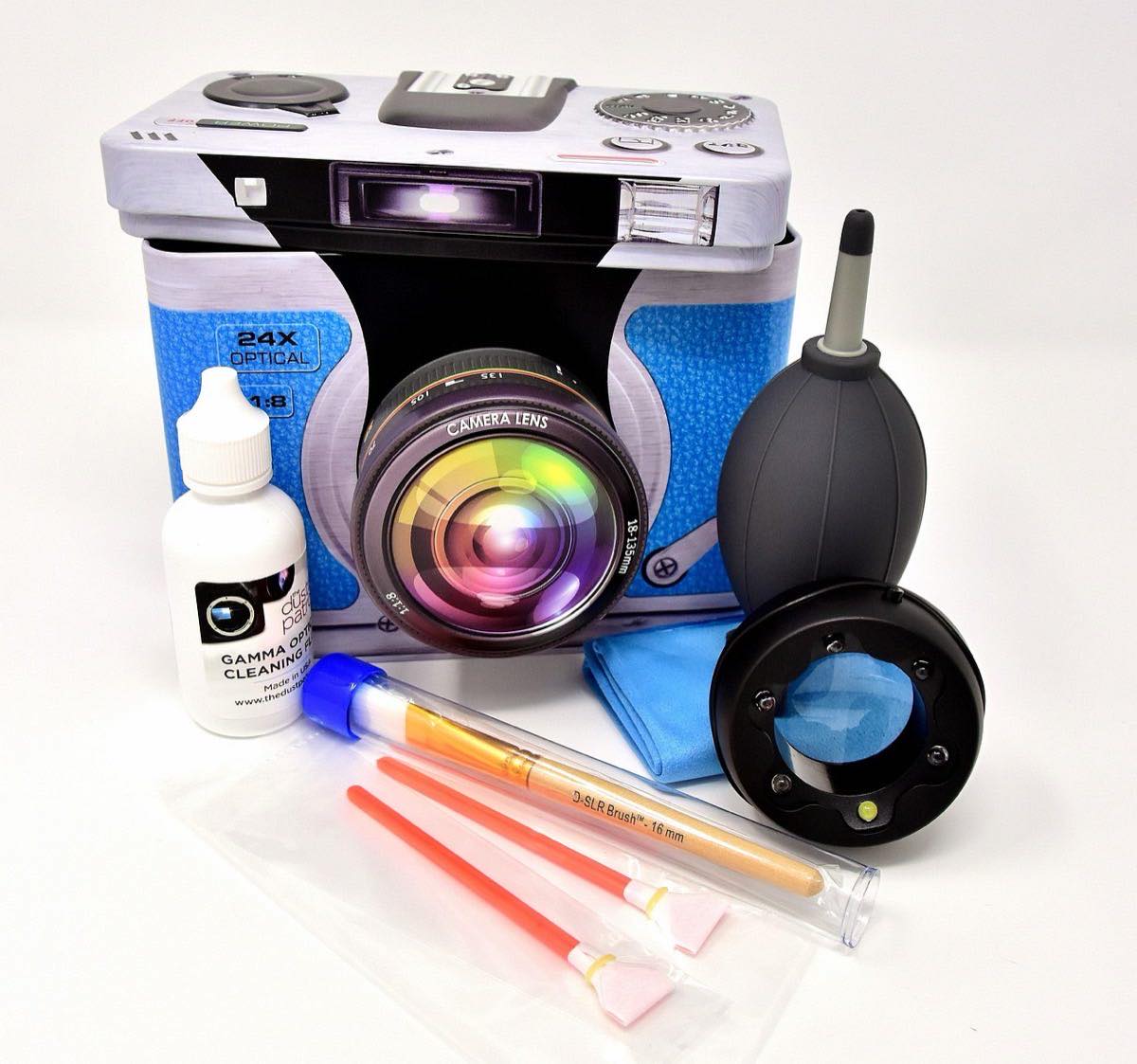
When the blower isn't enough, you need a sensor cleaning kit: swabs of the exact size for your sensor format (APS-C or full frame) and a cleaning fluid made specifically for sensors. Never use pharmacy alcohol, ordinary lens wipes or cotton: they leave residue or scratch the sensor's filter.
Procedure: two drops of the fluid on the swab, a single pass from one end to the other with gentle, constant pressure, flip the swab and repeat the pass in the opposite direction with the clean side. Only one pair of passes per session; if streaks of fluid remain, repeat with a new swab, never reuse the same one.
When is it time to take it to a service center? (level 3)
If after two attempts with a dedicated kit the spots persist, or if you notice scratches, fungus inside the lens or new mechanical noise from the shutter, it's time for professional service. The warning signs that call for a repair shop and not home DIY: spots that don't go away with wet cleaning, any resistance when moving the zoom or the focus ring, and new sounds when shooting.
How often should each piece of gear be checked?
Component: Sensor; Frequency: Every 6–12 months or when you see spots; Action: Blower → wet if it persists; Tool: Blower, swab kit
Component: Lenses (front/rear); Frequency: Monthly; Action: Brush + microfiber cloth; Tool: Blower brush, cloth
Component: Mount contacts; Frequency: Every 3 months; Action: Dry cloth, no liquids; Tool: Microfiber cloth
Component: Batteries; Frequency: Yearly; Action: Check for swelling, charge cycles; Tool: Visual inspection
Component: Memory cards; Frequency: Yearly; Action: Format in camera, check for errors; Tool: Native formatting
Component: Straps and backpack compartments; Frequency: Yearly; Action: Check seams and zippers; Tool: Visual inspection
Component: Filters (UV, ND, polarizer); Frequency: Every 6 months; Action: Clean both sides; Tool: Microfiber cloth
What else should I check besides the sensor?
Lenses accumulate dust in the filter threads and finger grease on the focus ring; clean them with a dry microfiber cloth, never with your shirt sleeve. The electrical contacts of the mount, both on the body and on each lens, should be cleaned with a dry cloth every few months: dirt there can cause intermittent lens-camera communication errors, a problem many photographers mistakenly attribute to electronic failures.
Batteries deserve a yearly check: if you notice one swelling slightly or lasting much less than before, take it out of service; a swollen lithium battery is a real hazard, not just a nuisance. And memory cards benefit from a full format in the camera (not just deleting files) once a year, which cleans up the file system and reduces write errors. If the diagnosis reveals real wear beyond cleaning, it may be time to evaluate a second camera: when and which to buy.
Frequently asked questions
How often should I clean the sensor?
There's no fixed calendar rule: it depends on how often you change lenses and in which environments you shoot (beach, desert and construction sites are worse than a studio). A year-end check with the f/16 test will tell you whether it's time to clean; many active photographers need it every 6–12 months.
Is it dangerous to clean the sensor myself?
With a rubber blower, practically no risk. With fluid and a swab, the risk is low if you use correctly sized tools and follow the single-pass procedure; the most common mistake is pressing too hard or using poorly sized generic swabs.
Can canned compressed air be used to clean the sensor?
Don't use it near the sensor: the pressure and the cold of the gas can damage internal components, and some cans expel drops of liquid propellant that leave stains worse than the original dust. Reserve it, if anything, for cleaning the outside of the camera body.
Should I also clean the viewfinder and the screen?
Yes, with the same dry microfiber cloth, without pressure. On cameras with an electronic viewfinder, also check the eye sensor that automatically activates the screen: if it gets dirty, it can end up constantly on or off by mistake.
The 30 minutes that save your January
Blower first, wet kit if needed, and a check of lenses, contacts and batteries. Half an hour a year avoids months of photos with a repeated spot that no one detects until zooming to 100 %.
Run the f/16 test before putting the gear away and another after cleaning: if the second one comes out clean, January starts without surprises.
The 44 Enfogram cards come with the settings you'll use with that freshly cleaned gear printed on them, so you can consult them on location without a screen.